Pills
Architecture & Design Documentation
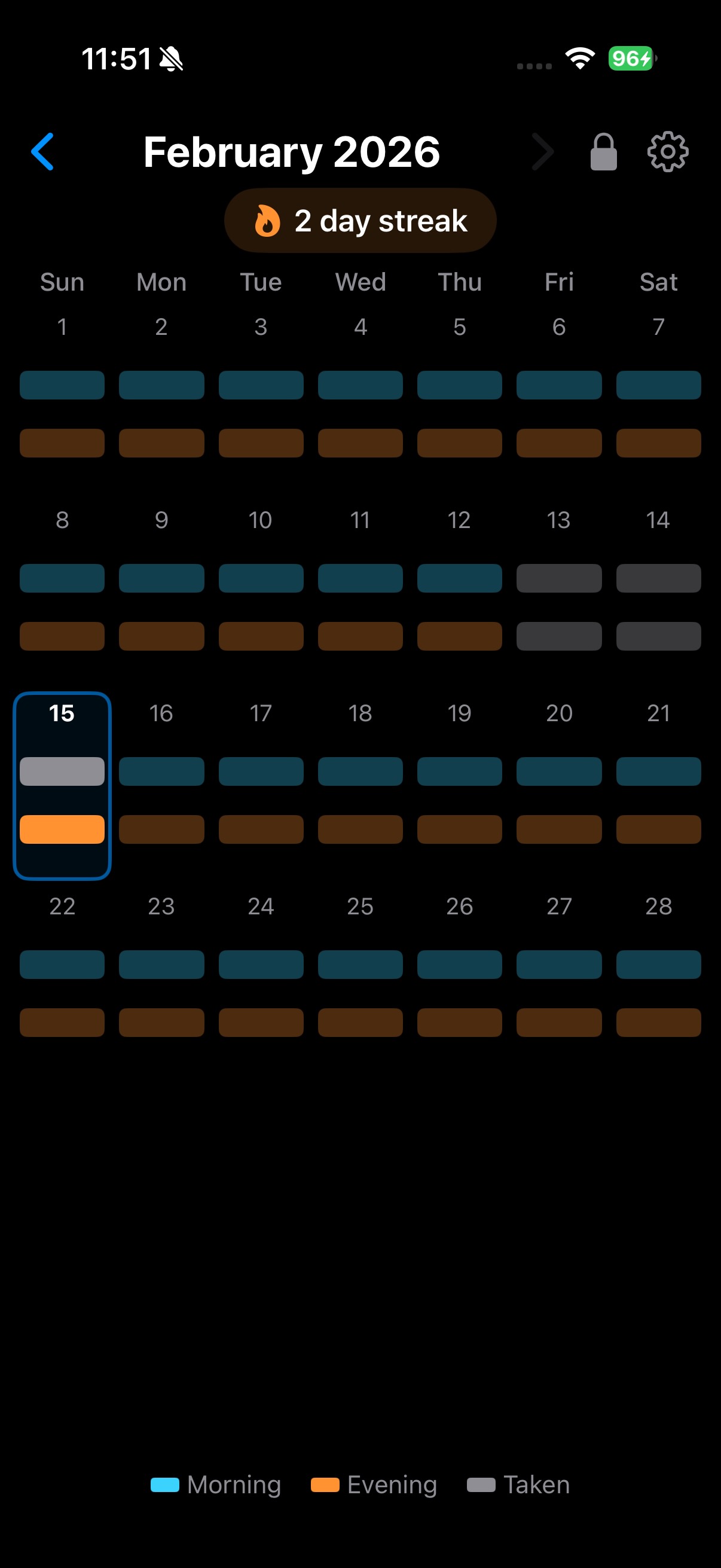
Running on iPhone 16 Pro
Tech Stack
View Hierarchy
The app uses a single-screen architecture with a clear top-down view hierarchy. ContentView acts as the coordinator, owning the data context and passing callbacks down.
@main entry point
ModelContainer for PillRecord
Configures NotificationManager"] --> B A --> NM B["ContentView
Root view & coordinator
@Query allRecords
@State displayedMonth
@AppStorage historyLocked
Month navigation
Toggle logic + lock guard
scenePhase → reschedule"] --> C B --> D B --> E B --> S C["StreakView
Streak counter
Flame icon + count
Counts consecutive
complete days"] D["CalendarView
Month grid
GeometryReader layout
6 fixed week rows
Day-of-week headers"] --> F E["Legend
Inline in ContentView
Cyan / Orange / Grey"] F["DayCellView
Per-day cell
Day number
Morning bar (cyan)
Evening bar (orange)
Tap handling + haptics"] S["SettingsView
Modal sheet
Notification toggle
Morning/evening time pickers
History lock toggle"] NM["NotificationManager
Singleton service
UNUserNotificationCenter delegate
Schedule/cancel notifications
7-day lookahead scheduling"] style A fill:#0f3460,stroke:#54a0ff,color:#e0e0e0 style B fill:#0f3460,stroke:#00d2d3,color:#e0e0e0 style C fill:#0f3460,stroke:#ff9f43,color:#e0e0e0 style D fill:#0f3460,stroke:#00d2d3,color:#e0e0e0 style E fill:#0f3460,stroke:#888,color:#e0e0e0 style F fill:#0f3460,stroke:#ff9f43,color:#e0e0e0 style S fill:#0f3460,stroke:#a29bfe,color:#e0e0e0 style NM fill:#0f3460,stroke:#00b894,color:#e0e0e0
Data Model
A single SwiftData @Model class persists pill state. One record per day, created on first interaction.
Storage strategy: SwiftData with automatic persistence. The ModelContainer is created explicitly in PillsApp.init() and shared with both the SwiftUI view hierarchy (via .modelContainer()) and NotificationManager (for background queries). The ModelContext is accessed via @Environment in ContentView.
Query strategy: A single @Query fetches all PillRecord objects. Filtering by month/date is done in code. Since records are bounded at ~365/year, this is efficient and avoids dynamic predicate complexity.
Record lifecycle: Records are lazily created. No record exists for a day until the user first taps a bar. Toggling checks for an existing record first; if none exists, a new one is inserted with the tapped pill marked as taken.
History lock: The lock state (historyLocked Bool, unlockTimestamp TimeInterval) is stored in @AppStorage (UserDefaults), not SwiftData. It's a UI preference — not pill data — so it lives outside the data model.
Data Flow
File Reference
| File | Role | Key Responsibilities |
|---|---|---|
PillsApp.swift |
Entry | App entry point. Creates the SwiftData ModelContainer explicitly in init(), registers UserDefaults defaults for notification times, configures NotificationManager, and presents ContentView. |
ContentView.swift |
Coordinator | Owns @Query and modelContext. Manages month navigation state, slide animation direction, toggle logic, history lock (@AppStorage with one-shot relock dispatch), settings sheet presentation, notification cancellation on toggle, scenePhase rescheduling, and composes all child views. |
Models/PillRecord.swift |
Model | SwiftData @Model with date, morningTaken, eveningTaken. Normalises date to start-of-day on init. |
Views/CalendarView.swift |
Layout | GeometryReader-based month grid. Computes week rows, distributes vertical space evenly across 6 rows. Passes toggle callbacks through to cells. |
Views/DayCellView.swift |
Interactive | Renders day number + two pill bars. Handles tap gestures, haptic feedback, and colour logic based on taken/today/future state. |
Views/StreakView.swift |
Display | Computes consecutive complete days backwards from today via static calculateStreak(from:). Displays flame icon and count in a capsule badge. Hidden when streak is 0. |
Views/SettingsView.swift |
Settings | Modal sheet with NavigationStack + Form. Notifications section: enable/disable toggle, morning/evening DatePickers. History section: lock past days toggle. Bridges @AppStorage Ints to DatePicker via custom bindings. Handles notification permission flow. |
Services/NotificationManager.swift |
Service | Singleton NSObject + UNUserNotificationCenterDelegate. Schedules local notifications for the next 28 days, skipping taken pills. Cancels specific notifications by ID (morning-YYYY-MM-DD). Suppresses foreground notifications if pill already taken. Queries SwiftData via a disposable ModelContext. |
PillsTests/PillsTests.swift |
Tests | 56 unit tests using in-memory SwiftData. Covers toggle logic (create, on, off, independence, round-trip), date matching, persistence across contexts, streak calculation edge cases, and notification scheduling/cancellation/suppression decisions. |
Pill Bar Visual States
Today - Not Taken
Full colour, tappable
Today - Taken
Grey, tappable (undo)
Past - Missed
Dimmed, tappable (lock guard)
Past - Taken
Dimmed grey, tappable (lock guard)
Future
Dimmed, not tappable
Today Cell
Blue outline + tint
Calendar Layout Strategy
(availableHeight - headerHeight - totalSpacing) / 6"] D["Each row: HStack of 7 DayCellViews
Empty cells for offset days"] end style layout fill:#16213e,stroke:#0f3460 style A fill:#0f3460,stroke:#00d2d3,color:#e0e0e0 style B fill:#0f3460,stroke:#888,color:#e0e0e0 style C fill:#0f3460,stroke:#00d2d3,color:#e0e0e0 style D fill:#0f3460,stroke:#ff9f43,color:#e0e0e0
Why 6 Fixed Rows?
Months can span 4 to 6 calendar weeks. Using a fixed 6-row layout prevents the calendar height from jumping when navigating between months, keeping the slide animation smooth and the overall layout stable.
Month Transition Animation
Month changes use .id(displayedMonth) to force SwiftUI to treat each month as a distinct view. Combined with an asymmetric .move transition, the outgoing month slides out while the incoming month slides in from the navigation direction. A slideDirection state variable is set before the animation begins, so that navigating backward slides right-to-left and forward slides left-to-right.
Streak Algorithm
pills taken?} A -- Yes --> B[count = 1
Move to yesterday] A -- No --> C[count = 0
Move to yesterday] B --> D{Current day
both taken?} C --> D D -- Yes --> E[count++
Move back 1 day] E --> D D -- No --> F([Return count]) style S fill:#0f3460,stroke:#00d2d3,color:#e0e0e0 style A fill:#0f3460,stroke:#ff9f43,color:#e0e0e0 style B fill:#0f3460,stroke:#00d2d3,color:#e0e0e0 style C fill:#0f3460,stroke:#888,color:#e0e0e0 style D fill:#0f3460,stroke:#ff9f43,color:#e0e0e0 style E fill:#0f3460,stroke:#00d2d3,color:#e0e0e0 style F fill:#0f3460,stroke:#00d2d3,color:#e0e0e0
App Icon

The app icon was generated programmatically using a Swift script with CoreGraphics. It depicts a stylised "today" cell with the day number, cyan morning bar, and orange evening bar on a dark background - matching the app's visual language. The icon is a static 1024x1024 PNG rendered at 1x scale via NSBitmapImageRep to avoid Retina doubling.
Notification Architecture
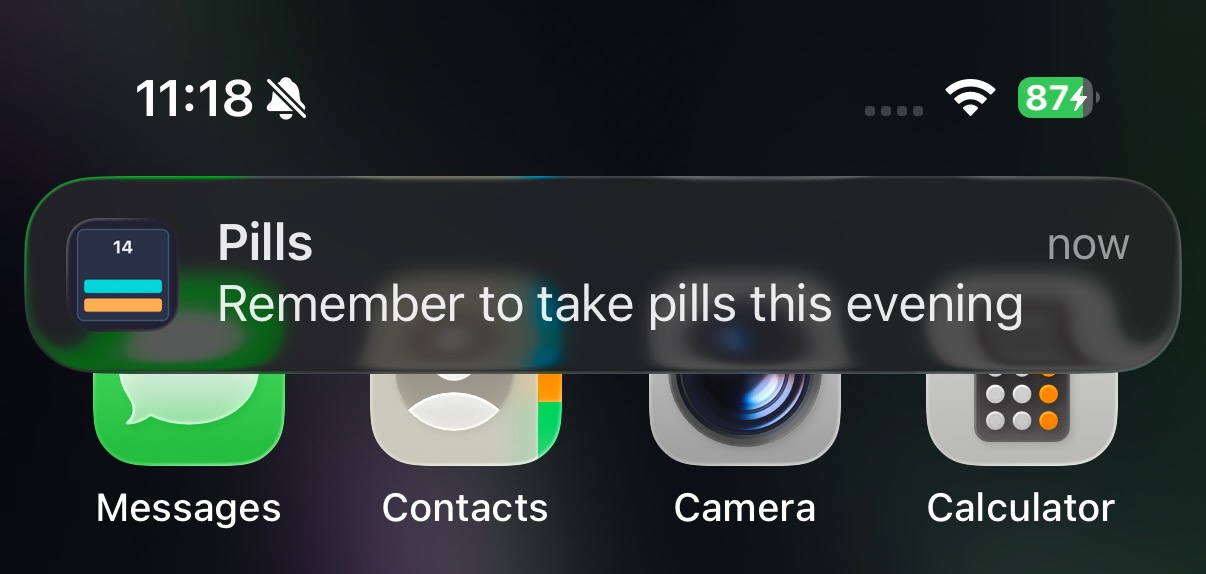
Evening pill reminder notification
The app uses UNUserNotificationCenter local notifications to remind users to take their pills. Since local notifications can't run custom code at delivery time when the app is backgrounded, a smart cancellation pattern is used.
already taken?} F -- No --> G["Schedule morning-YYYY-MM-DD
at configured time"] F -- Yes --> H[Skip morning] G --> I{Evening pill
already taken?} H --> I I -- No --> J["Schedule evening-YYYY-MM-DD
at configured time"] I -- Yes --> K[Skip evening] J --> L[Next day] K --> L L --> E style S fill:#0f3460,stroke:#54a0ff,color:#e0e0e0 style A fill:#0f3460,stroke:#00d2d3,color:#e0e0e0 style B fill:#0f3460,stroke:#ff9f43,color:#e0e0e0 style C fill:#0f3460,stroke:#888,color:#e0e0e0 style D fill:#0f3460,stroke:#54a0ff,color:#e0e0e0 style E fill:#0f3460,stroke:#888,color:#e0e0e0 style F fill:#0f3460,stroke:#ff9f43,color:#e0e0e0 style G fill:#0f3460,stroke:#00d2d3,color:#e0e0e0 style H fill:#0f3460,stroke:#888,color:#e0e0e0 style I fill:#0f3460,stroke:#ff9f43,color:#e0e0e0 style J fill:#0f3460,stroke:#00d2d3,color:#e0e0e0 style K fill:#0f3460,stroke:#888,color:#e0e0e0 style L fill:#0f3460,stroke:#888,color:#e0e0e0
Why smart cancellation? iOS local notifications can't execute code at delivery time when the app is backgrounded. Instead, we schedule notifications optimistically and cancel them when the user takes their pills (which requires opening the app). This ensures reminders fire reliably even when the app hasn't been opened in days.
Immediate cancellation: When the user marks a pill as taken in ContentView, cancelTodayMorning() or cancelTodayEvening() removes that specific notification by its date-based ID.
Foreground suppression: The willPresent delegate queries SwiftData at delivery time. If the pill is already marked as taken, the notification is suppressed silently.
Settings: SettingsView provides enable/disable toggle and morning/evening DatePickers (defaulting to 7:00 AM / 9:00 PM). All settings are stored in @AppStorage (UserDefaults) and read by NotificationManager during scheduling.
History Lock
Past days are protected from accidental edits by a history lock. The lock state lives in @AppStorage (UserDefaults) and is managed entirely in ContentView.
unlockTimestamp = now"] F --> B F --> G["Schedule one-shot DispatchWorkItem
fires after 600s"] G --> H["relock(): cancel task,
historyLocked = true,
unlockTimestamp = 0"] style S fill:#0f3460,stroke:#54a0ff,color:#e0e0e0 style A fill:#0f3460,stroke:#ff9f43,color:#e0e0e0 style B fill:#0f3460,stroke:#00d2d3,color:#e0e0e0 style C fill:#0f3460,stroke:#ff9f43,color:#e0e0e0 style D fill:#0f3460,stroke:#ff9f43,color:#e0e0e0 style E fill:#0f3460,stroke:#888,color:#e0e0e0 style F fill:#0f3460,stroke:#00d2d3,color:#e0e0e0 style G fill:#0f3460,stroke:#888,color:#e0e0e0 style H fill:#0f3460,stroke:#ff9f43,color:#e0e0e0 style I fill:#0f3460,stroke:#00d2d3,color:#e0e0e0
Why @AppStorage? The lock is a UI preference, not pill data. Using @AppStorage keeps it out of SwiftData, avoids model migration, and survives app restarts automatically via UserDefaults. The relock uses a single one-shot DispatchWorkItem scheduled for exactly 10 minutes after unlock — zero CPU usage while locked. On app resume, remaining time is recalculated from the stored timestamp.
Today is exempt: Tapping today's bars always works regardless of lock state. Only past days are guarded.
Lock icon: A lock.fill / lock.open.fill button sits in the header bar. It provides both visual state and manual toggle.
Testing
The PillsTests target contains 56 unit tests covering data mutations, streak logic, and notification decision-making. All tests use an in-memory ModelContainer for isolation and speed.
Test strategy: Tests replicate the toggle logic from ContentView.performToggleMorning/performToggleEvening as helper methods, operating against a real ModelContext backed by an in-memory store. This validates the exact same find-or-create-then-toggle pattern the app uses.
Streak testability: The streak algorithm was extracted from a private computed property into StreakView.calculateStreak(from:), a static method that accepts a [PillRecord] array. This allows direct unit testing without instantiating the view.
Notification testability: Scheduling, ID generation, and foreground suppression logic are extracted as internal static methods on NotificationManager with all inputs as explicit parameters. Tests inject dates, records, and calendar directly — no UNUserNotificationCenter, no UserDefaults, no ModelContext. The PillNotification value type decouples assertions from UNNotificationRequest.
Potential Future Enhancements
| Feature | Complexity | Notes |
|---|---|---|
| Done | Implemented via NotificationManager with smart cancellation, configurable times in SettingsView | |
| Home Screen widget | Medium | WidgetKit, show today's pill status at a glance |
| Multiple medication types | Medium | Extend PillRecord or add a Medication model with configurable time slots |
| iCloud sync | Low | SwiftData supports CloudKit with minimal config changes |
| Export/stats view | Low | Monthly adherence percentage, charts with Swift Charts |
| Dark mode support | Low | Adapt calendar colours for system dark/light mode |
Source on GitHub — Built with Claude Code — February 2026